> For the complete documentation index, see [llms.txt](https://docs.marinade.finance/llms.txt). Markdown versions of documentation pages are available by appending `.md` to page URLs; this page is available as [Markdown](https://docs.marinade.finance/marinade-protocol/protocol-overview/staking-rewards-report.md).
# Staking Rewards Report
Learn how to use the Staking Rewards Report to view and export your Marinade native staking rewards by epoch, and understand what the data represents.
## Overview
The Staking Rewards Report is a self-service tool that provides a summary of staking rewards earned through Marinade's **native staking**.
It is designed to help users better understand rewards earned over time by presenting staking activity in a structured, historical view.
The report is intended for **reference and transparency**, and reflects indexed staking reward data rather than wallet balance changes.
{% hint style="warning" %}
**Not covered: Marinade Recipes / Customized Rewards.** Although Recipes use native staking, the report only tracks rewards paid in SOL. If your position pays out in another token (USDG, USDC, cbBTC, etc.), those payouts are airdropped to your wallet each epoch and no report is generated for them. Track them in your wallet's transaction history or on a Solana explorer such as [Solscan](https://solscan.io). See Marinade Recipes for details.
{% endhint %}
***
### What the Staking Rewards Report Shows
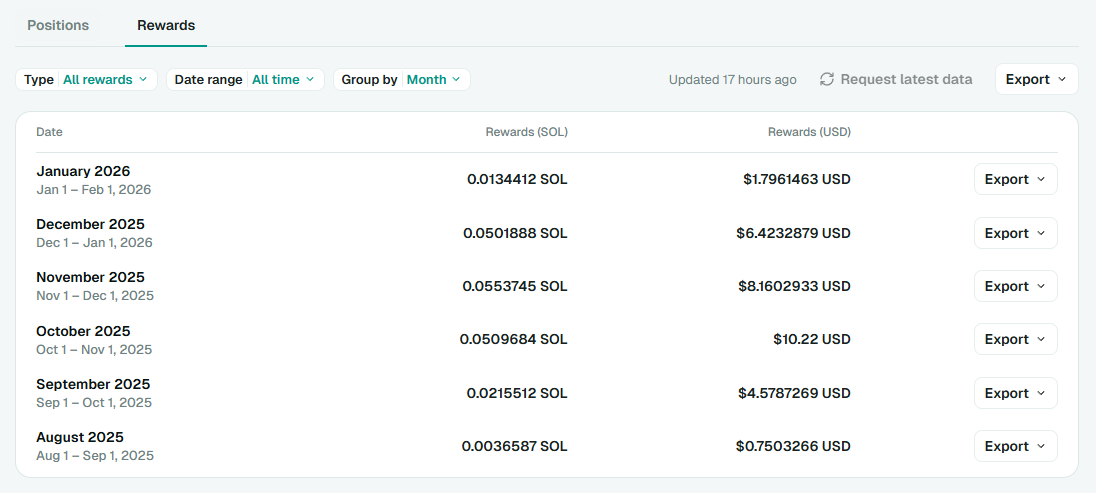
The report displays staking-related rewards and activity from Marinade native staking in a filterable view.
You can customize the report using the following options:
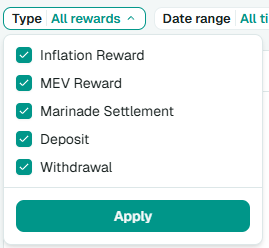
**Type**
* Inflation Reward
* MEV Reward
* Marinade Settlement
* Deposit
* Withdrawal
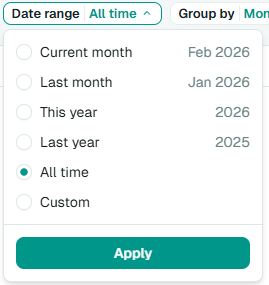
**Date Range**
* Current month, Last month
* This year, Last year
* All time, Custom range
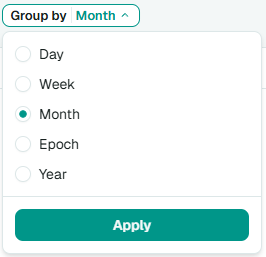
**Group By**
* Day, Week, Month
* Epoch, Year
All values shown represent **earned rewards**, displayed in both **SOL** and **USD** (where applicable), and are aggregated based on the selected grouping.
***
### What's Included vs. Excluded
**Included**
* SOL-denominated rewards earned from Marinade **native staking** with SOL rewards, and existing Marinade Select positions
* Earned reward amounts displayed in **SOL** and **USD**
* Aggregated staking reward records based on the selected grouping
**Not Included**
* Wallet transfers unrelated to staking
* Liquid staking (mSOL) rewards
* The amount of SOL staked for each reward entry
* Validator-level performance or commission breakdowns
* Intraday or real-time reward accrual
* Marinade Recipes (Customized Rewards) payouts, meaning rewards paid in a non-SOL token such as USDG, USDC, or cbBTC. These are airdropped to your wallet each epoch; no report is generated for them.
***
### How to Request Your Staking Rewards Report
**Step 1: Connect Your Wallet**
1. Go to [**https://app.marinade.finance/**](https://app.marinade.finance/) and connect your wallet.
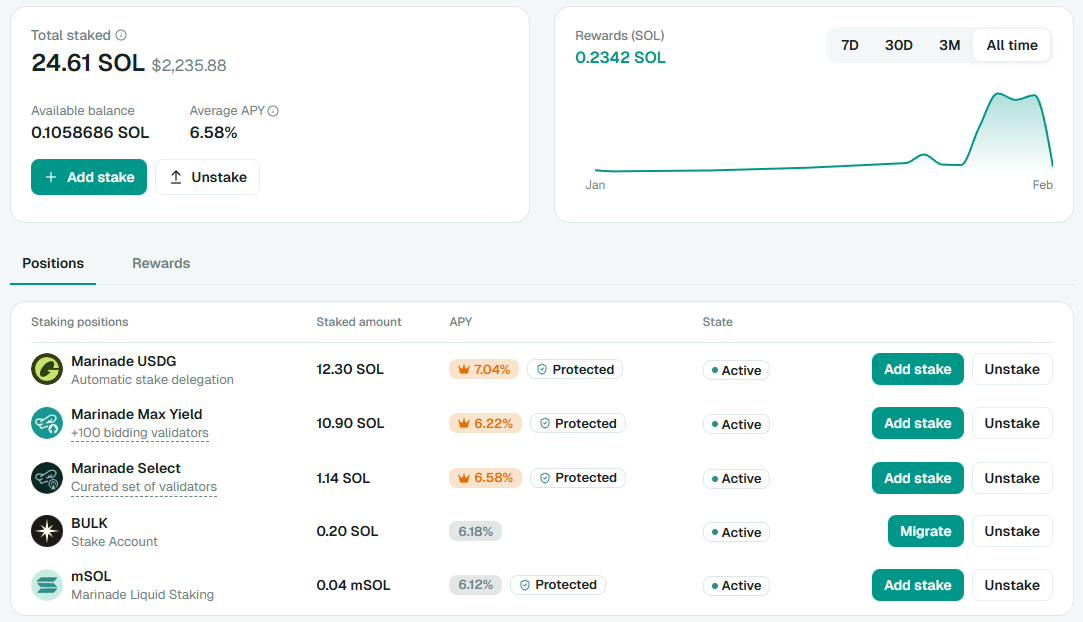
2. Open the **Portfolio** tab.
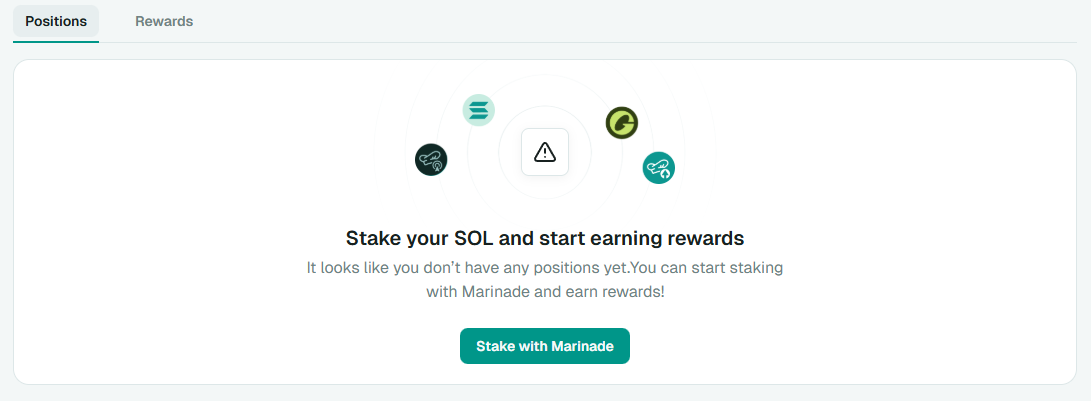
Under **Positions**, you should see any staking positions associated with the connected wallet. This may include stake accounts not created directly through Marinade.
If no positions are found, you may see:
> *"It looks like you don't have any positions yet. You can start staking with Marinade and earn rewards!"*
**Notes:**
* Only positions associated with the **connected wallet** can be displayed
* Assets deposited into DeFi protocols or not held directly in the wallet may not appear
* This applies to other liquid staking tokens (LSTs) as well
**Step 2: Request Your Rewards Data**
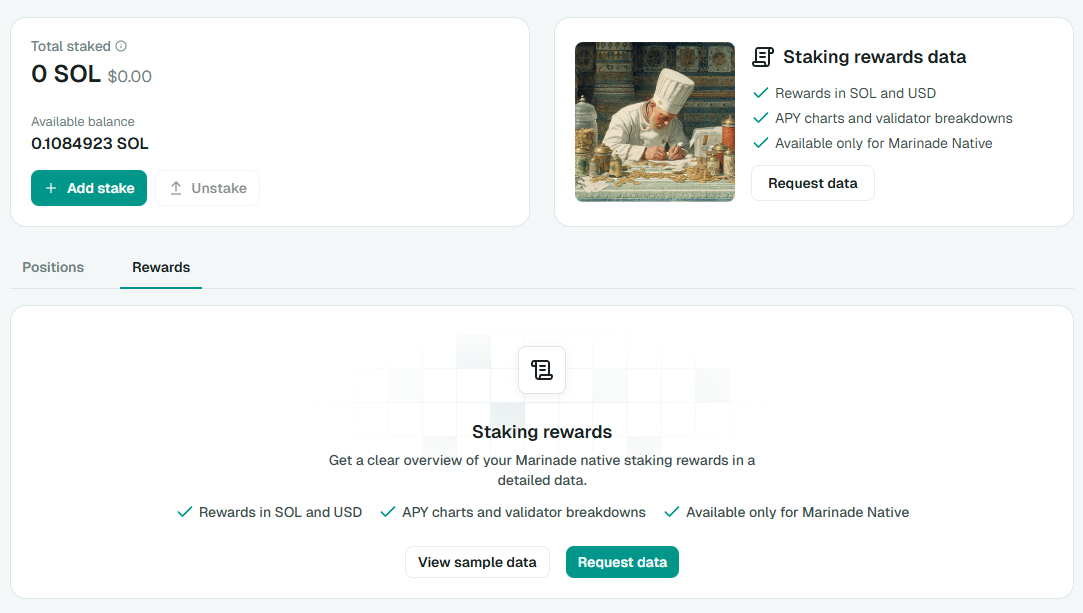
1. Open the **Rewards** tab.
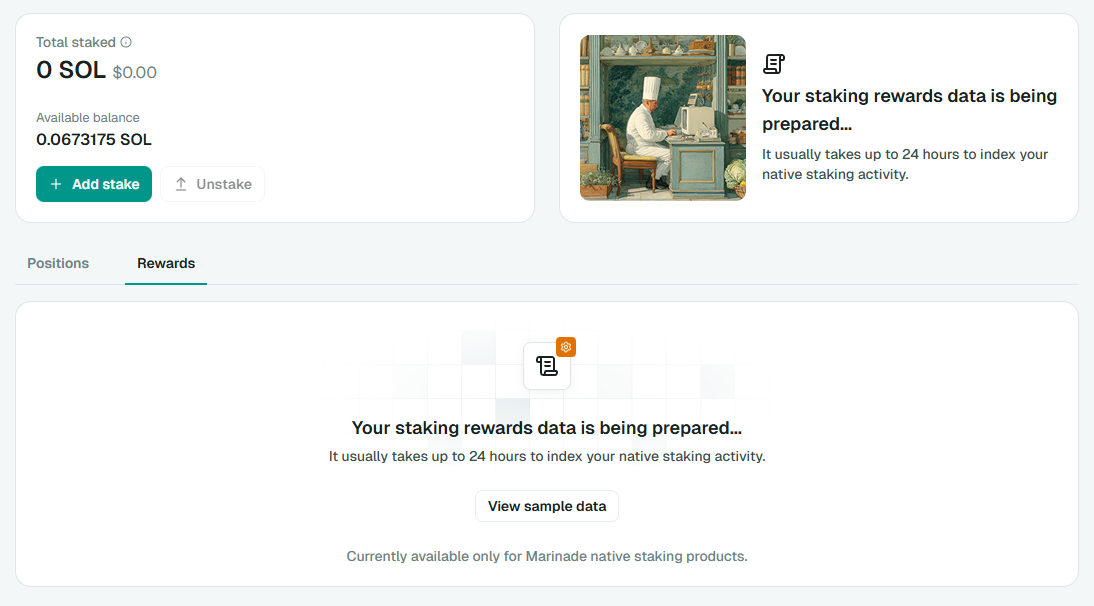
2. If this is your first time using the tool, you'll see an option to **Request data**.
3. Click **Request data**.
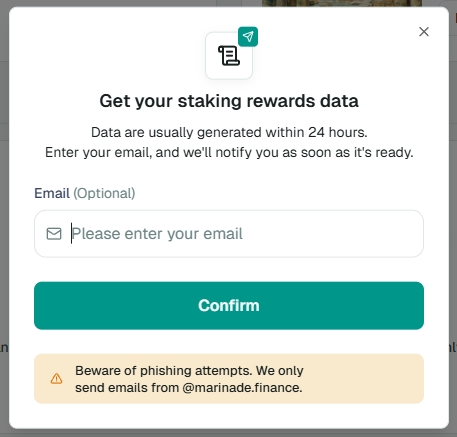
You'll be prompted to optionally enter an email address with the message:
> *"Data are usually generated within 24 hours. Enter your email, and we'll notify you as soon as it's ready."*
Providing an email is optional but recommended.
{% hint style="warning" %}
**Security note:** We only send notifications from **@marinade.finance**.
{% endhint %}
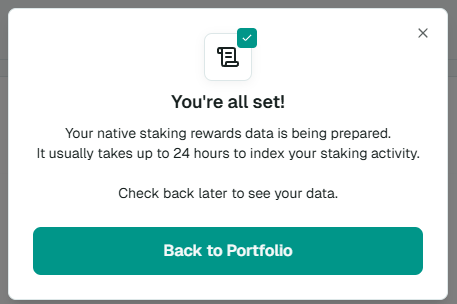
4. Click **Confirm**.\
Your request will typically complete within **24 hours**.
**Step 3: View Your Report**
Once ready:
* You'll receive an email notification if you provided an address, or
* You can reconnect your wallet and return to the **Rewards** tab
From there, you can:
* View and sort rewards
* Group data by your preferred timeframe
* Export the report if needed
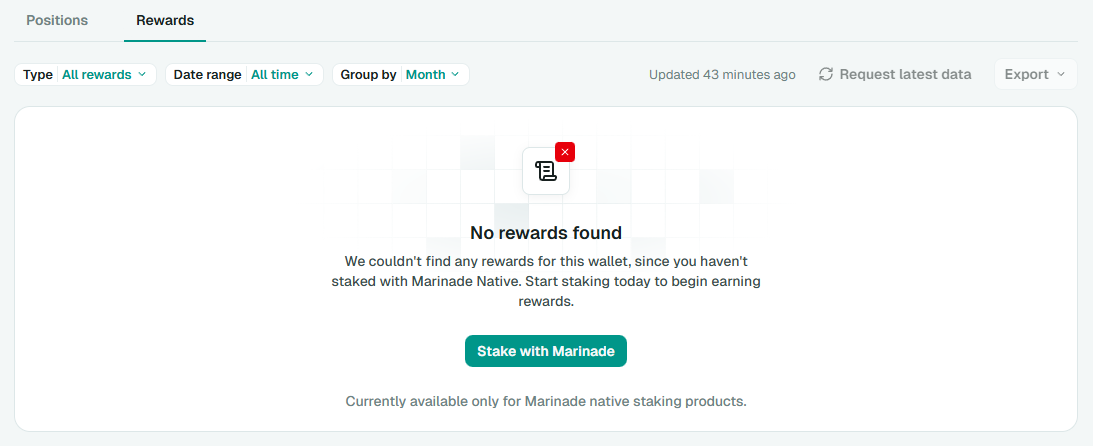
If you see **"No rewards found"**, it means no eligible records were found for the connected wallet.
**Currently supported:** Marinade Native staking with SOL rewards, and existing Marinade Select positions.\
**Not supported:** Marinade Recipes / Customized Rewards (non-SOL reward tokens) and Marinade Liquid (mSOL).
***
### Data Refresh & Updates
The Staking Rewards Report does not automatically refresh every epoch.
The report shows the most recently indexed data, along with a timestamp indicating when it was last updated. To fetch the latest data, click **"Request latest data"** in the report. After requesting, reload the Marinade app in your browser (Ctrl+R, or Cmd+R on Mac) and reopen the **Rewards** tab. The reload shows the current state. Check the timestamp: if it has not moved, the refresh is still running and can take up to 24 hours.
After requesting a refresh:
* Staking activity is re-indexed
* The process typically takes **up to 24 hours**
* **Request latest data** is greyed out for about **4 hours** after a request, so you cannot queue another refresh straight away
* Your existing report stays on screen while the new one is prepared, so you can keep using the previous figures until the refresh lands
* Updated data will appear once indexing completes
Providing an email allows us to notify you when the report is ready.
***
### Understanding Small or Zero Rewards
Seeing very small, infrequent, or zero rewards for a given period is usually expected.
Common reasons include:
* Your stake was activated partway through an epoch
* Rewards are still pending finalization or indexing
* Rewards are aggregated by epoch rather than continuously
* Solana staking rewards accrue per epoch (about **1 day**), so when grouping by **Day**, some days will show no rewards
* Small reward amounts may round down when displayed
* Displayed USD values are estimates based on historical pricing and may differ slightly due to rounding
***
### Exporting Your Report
The Staking Rewards Report can be exported for offline review.
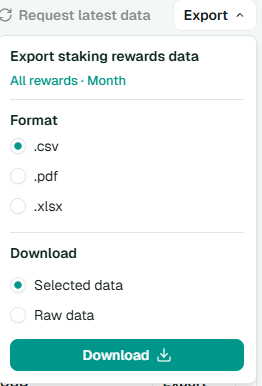
**Export Format**
* CSV
* PDF
* XLSX
**Export Scope**
* **Selected data** reflects current filters and grouping
* **Raw data** exports the underlying ungrouped dataset
Exports are provided for convenience and reference.
***
### Getting Help
If something looks incorrect or unclear, please contact [Marinade Support](https://help.marinade.finance/en/).
To help us assist you faster, include:
* Your wallet address
* Approximate staking timeframe and amount
* Your email address
* Any relevant transaction links (if available)
***
*This report is provided for informational purposes only. Users are responsible for determining how staking rewards should be reported for tax purposes under their local laws. Marinade is not responsible for tax outcomes resulting from the use of this report.*
---
# Agent Instructions
This documentation is published with GitBook. GitBook is the documentation platform designed so that both humans and AI agents can read, navigate, and reason over technical content effectively. Learn more at gitbook.com.
## Querying This Documentation
If you need additional information that is not directly available in this page, you can query the documentation by asking a question.
Perform an HTTP GET request on the following URL with the `ask` and `goal` query parameters:
```
GET https://docs.marinade.finance/marinade-protocol/protocol-overview/staking-rewards-report.md?ask=&goal=
```
`ask` is the immediate question: it should be specific, self-contained, and written in natural language.
`goal` is what the user is ultimately trying to achieve, the reason they need the answer. Sharing it helps GitBook give you a better, more relevant answer. A goal is most helpful when it describes the outcome the user wants rather than restating the question. For example, with `ask=how do I create an API token`, a goal like `automate deployments from our CI pipeline` lets GitBook tailor the answer to that use case.
The response will contain a direct answer to the question and relevant excerpts and sources from the documentation.
Use this mechanism when the answer is not explicitly present in the current page, you need clarification or additional context, or you want to retrieve related documentation sections.